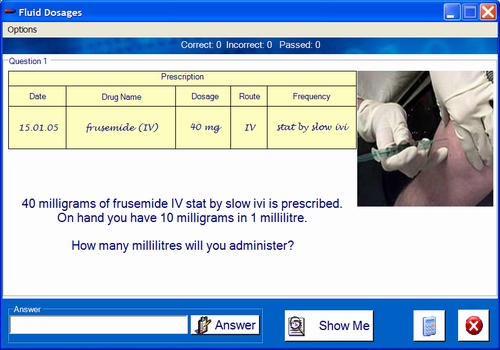
Type the answer in the answer box and click on the answer button. For multichoice questions click on the item to select it.
Click on this button to show the solution (if one is available). This will lead to the question being considered incorrect or passed depending on the test options.
Click on the icon to display the system calculator.
 |
The test may be ended at any time by clicking on the quit button. The test may also end if a game is completed or the user finishes a created test. |
Test options may be available for editing during a test. If so they may be accessed from the tool bar.
A number of dialog boxes and prompts may be displayed on start up, completion or during the test. See other screens.